This week:
Today’s post will cover the content from February 10th and 17th. In particular, Sketchnotes, Infographics, and Google Keep. I will share a rough example of a Sketchnote I made to demonstrate brainstorming, an infographic I’ve made for another class, and discuss the Keep program and my uses for it now and in the future.
Sketchnotes
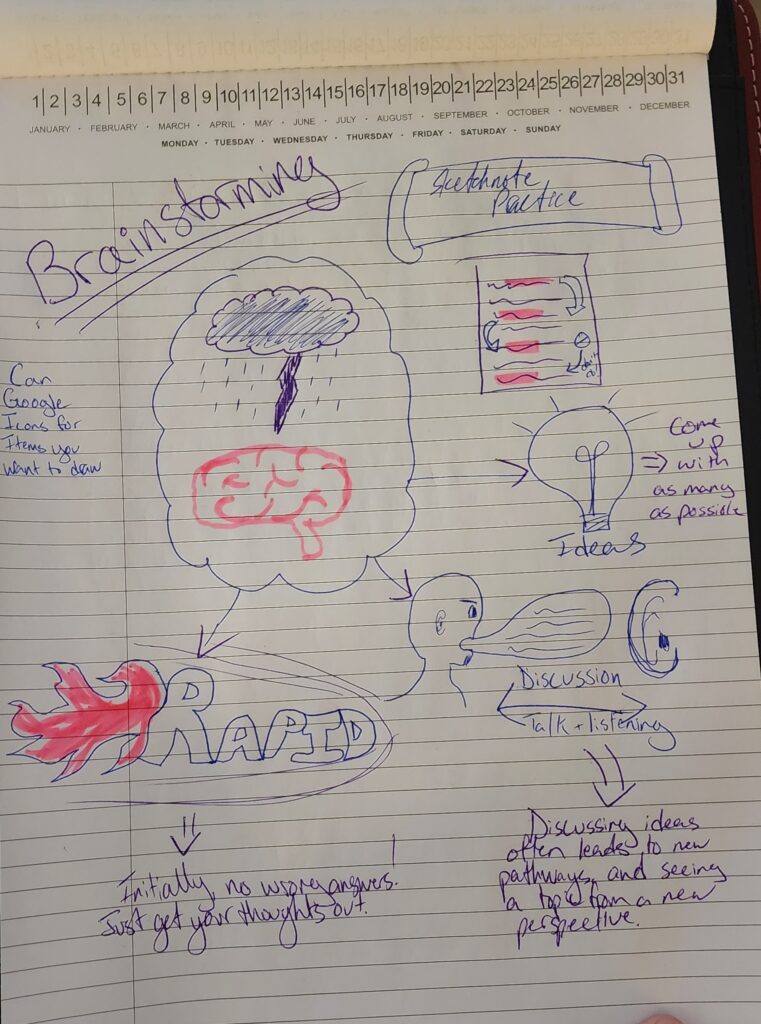
I am no artist, as one can tell by my nose-less, Mr. Clean-looking guy vomiting a speech bubble towards an ear the size of his head. The great thing about Sketchnotes: you don’t have to be Van Gogh. The benefits include a greater retention and recall of information as the brain processes content at a high level, and therefore more information is remembered.
Infographics
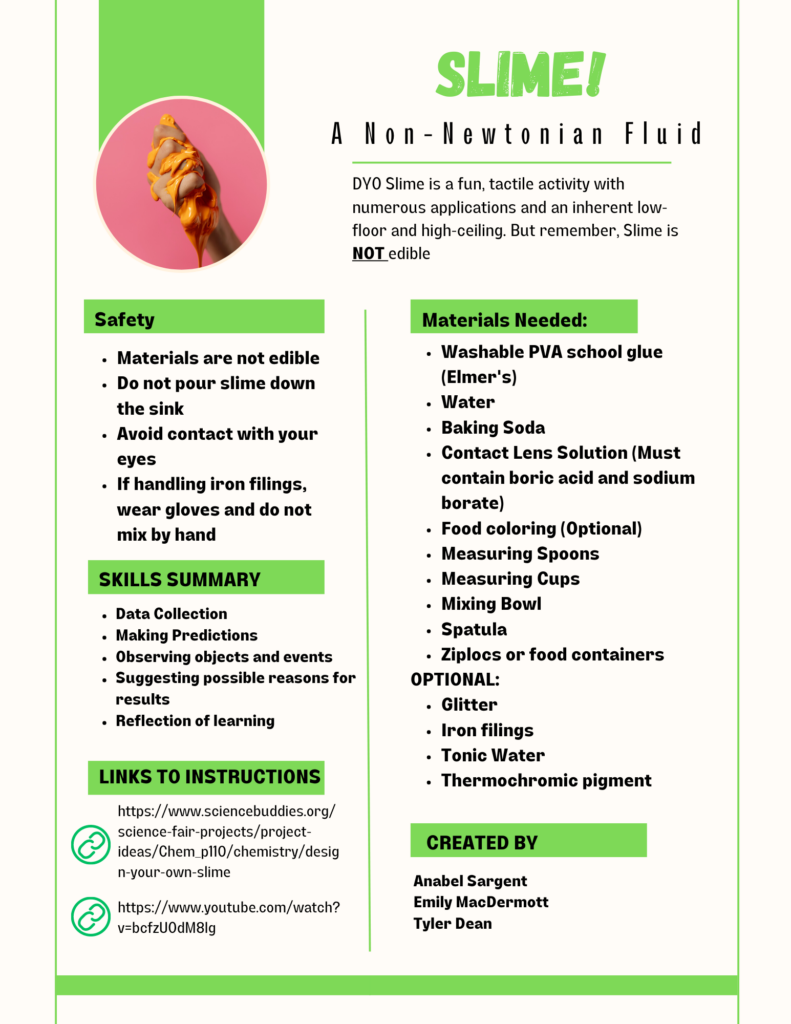
I know I just said that I was not an artist, but damn does this look good. Almost professional even. I was introduced to Canva last term by a classmate, and I have used it a few times now to create some really engaging materials. From a brochure on Gender Inclusive Sports in Elementary schools to a letter to send parents to explain the difference between formative and summative assessment, sites like Canva are awesome to have in a back pocket.
Google Keep
Bored Teachers put together a list of 11 ways a teacher can use Google Keep within their class to help stay organized. Personally, I like #5: Organize your lists by time of day, and #11: Using the Labels feature, keep track of links and resources. Having a list for before school, after school, or by periods or blocks, seems like an effective way to chunk your daily actions. Having a long list of 20-30 things is far more daunting than 5-10 things in the morning, 5-10 things during the school day, and 5-10 things after school.
As for creating labels for each subject, like Science, Math, Language Arts, etc., then creating a note with a hyperlink, image, or some other resource would be a great way to keep all the info you need together. A lesson plan can include a little note saying, “Task Cards, Science” and it can be quickly found in your Keep.
Since learning about Google Keep, I have so far only used it to create a grocery list to share with my partner, and created an inventory for my pantry. Although I now know for certain that I have 3 cans of black beans, 4 cans of raviolis, and 11 cans of chicken noodle soup, to name a few items, I unfortunately have 0 potatoes. I do, however, have 3 boxes of instant mashed potatoes.